Flutterwave
Flutterwave é um provedor de pagamentos online estabelecido na Nigéria e cobrindo vários países africanos e métodos de pagamento.
Configuração no Dashboard Flutterwave
Log into Flutterwave Dashboard and go to . Copy the values of the Public Key and Secret Key fields and save them for later.
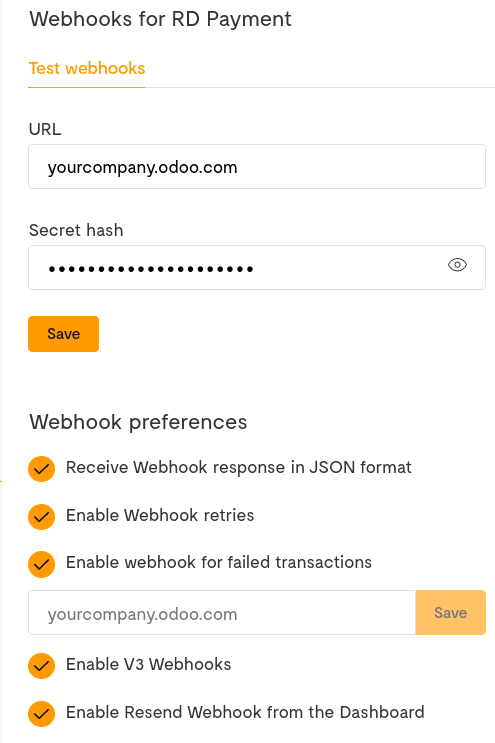
- Go to and enter your Odoo database URL followed by /payment/flutterwave/webhook in the URL text field.For example: https://yourcompany.odoo.com/payment/flutterwave/webhook.
Fill the Secret hash with a password that you generate and save its value for later.
Make sure all the remaining checkboxes are ticked.
Click on Save to finalize the configuration.
Configuração no Odoo
Navigate to the payment provider Flutterwave <payment_providers/add_new> and change its state to Enabled.
In the Credentials tab, fill the Public Key, Secret Key, and Webhook Secret with the values you saved at the step payment_providers/flutterwave/configure_dashboard.
Configure the rest of the options to your liking.
Se você optar por permitir o salvamento de métodos de pagamento, é recomendado ativar apenas pagamentos com cartão no painel do Flutterwave, pois apenas cartões podem ser salvos como tokens de pagamento. Para fazer isso, acesse seu Painel do Flutterwave e depois .