Conexão SSH da IoT box
Para fornecer uma conexão SSH (secure shell protocol) a uma IoT box, você deve gerar uma senha:
Open the IoT app, click the relevant IoT box's card, and click Homepage.
On the IoT system's homepage, click the fa-cogs (cogs) button at the top-right, then Remote Debug.
In the Remote Debugging popup that opens, click Generate and save the password securely. Once you close the popup, the password will no longer be available.
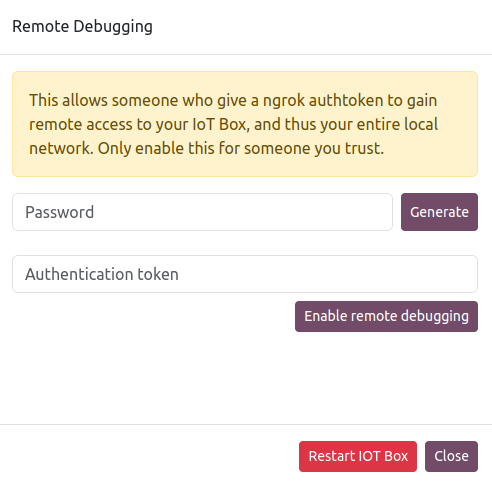
Enter the Authentication Token provided by the user attempting to connect to the IoT box.
Click Enable Remote Debugging.
Veja também: